

In This Article
Sample the exact pixel
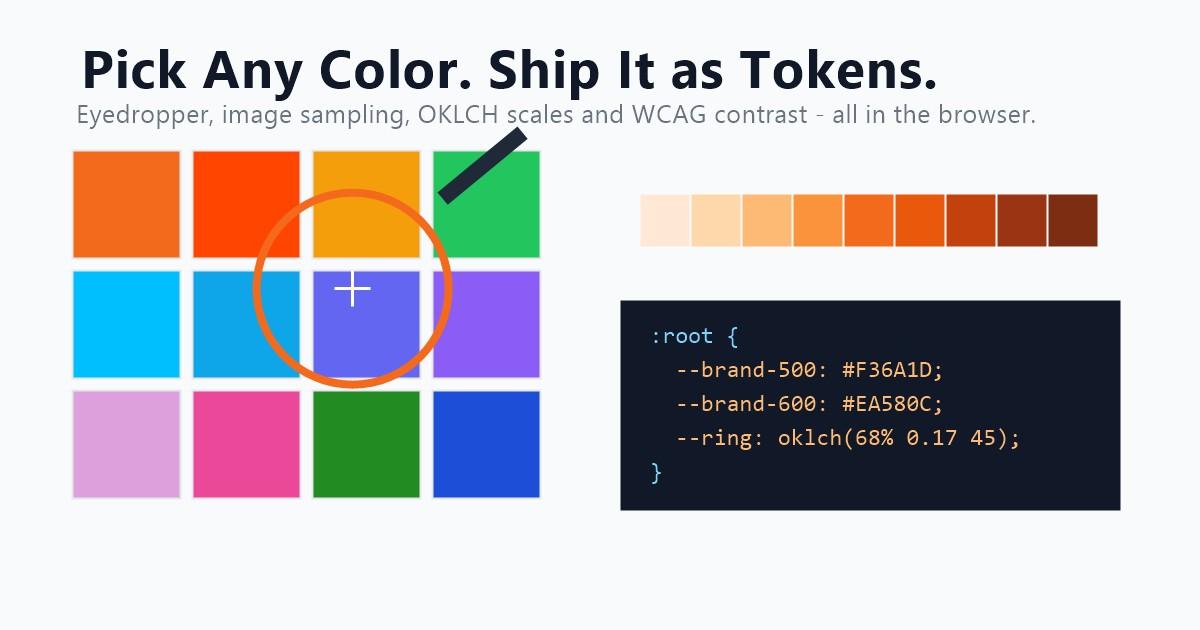
Native browser sampling runs on the EyeDropper API - Chromium browsers only (Chrome and Edge since, and its derivatives). One click on the color picker magnifier button, the screen dims, a loupe tracks the cursor, and one click commits the exact sRGB hex of the pixel you aimed at. The gesture-based design is a privacy feature: the page gets exactly one value, once, with no continuous screen access.
Safari and Firefox still lack the API, so the tool ships its fallback: screenshot the region (Win + Shift + S or Cmd + Shift + 4), paste or drop the image into the canvas, and sample from it with the 24x loupe. Same final value, one extra keystroke, and it works on any device with a clipboard.
From one pixel to a color system
The sample is decimal RGB internally; the picker exposes every target format immediately - HEX for CSS, RGB for canvas ops, OKLCH for scale work - and copies on click. Out of that raw sample, the Tailwind scale generator interpolates a proper palette: your chosen color anchors one step (usually 500), and the 50-950 ramp fills around it in OKLCH space, where equal numeric lightness steps look equal. Hue stays constant even as chroma tapers at the extremes - the difference is visible the moment a HEX-built ramp shows pale, washed tints in the 100s and muddy 800s.
Keep these three tokens out of the ramp: the raw sampled hex (for the exact brand match), the accessible text pair (see next section), and the dark-mode background pair - one each for surfaces and text, so dark mode never resamples from memory.
Accessibility: contrast or it does not ship
WCAG 2.1 sets the bar for readable pairs: 4.5:1 contrast for body text, 3:1 for large text (18pt-plus) and UI components. A sampled brand color fails that on white text more often than anyone expects - influence is hue-dependent, and brand yellow at 4.2:1 is one lint error from a rework ticket.
- Take the primary hex into the WCAG contrast checker.
- Test white-on-color and color-on-white; both grades (AA on 4.5:1, AAA on 7:1 where target quality allows) render live as you adjust.
- If either fails, adjust only the OKLCH lightness axis - lightness moves the number without disturbing the hue you sampled, keeping the brand look while clearing the ratio.
- Lock the passing pair into tokens and note them in the component docs - future accents inherit a scored system rather than re-guessing.
Shipping the tokens
- CSS variables exported from the scale generator, one per step, namespaced to your brand - paste directly into a tokens file.
- Tailwind config variant for projects where the ramp plugs into the utility framework, with an alias mapping semantic names (primary, surface, danger) to scale steps.
- Documentation snapshot - a rendered palette page in the design-system wiki prevents the predictable next question: which step was "the" brand color.
The last mile is a governance habit: every new semantic color resolves to a scale step rather than a fresh sample, or six months later the ramp contains one honest color and five impostors sampled off screenshots.
Conclusion
Sample once - in-browser EyeDropper or pasted fallback - convert to OKLCH, generate the 50-950 ramp at the scale generator, clear WCAG contrast at the checker, and ship the tokens. The whole pipeline is free, local, and finishes inside a single sit-down with the color picker.
Convert Images Instantly
Convert between JPG, PNG, WebP and more. All processing happens in your browser.
Convert ImagesFrequently Asked Questions
How do I pick a color from inside my browser?
The EyeDropper API, in any Chromium browser since Chrome 95: one call opens a full-screen magnified sampler and returns the exact sRGB hex. It requires a user gesture and gives the page no continuous screen access - a deliberately narrow permission.
What about Safari and Firefox?
They still do not expose EyeDropper, so the fallback is a paste: screenshot the area, drop or paste the image into the tool, and sample the exact pixel from it with the loupe. Identical final value, one extra keystroke.
Why sample instead of using brand hex values?
Logos live inside photos, crossed gradients, and JPEG compression - the pixels on the page rarely match the token file. Sampling captures the value as rendered, which is what a screen-matched UI needs.
What does OKLCH add over HEX?
OKLCH expresses lightness and hue on perceptually uniform axes, so equal lightness steps actually look equal - the reason a 50-950 shade scale generated in OKLCH looks even while numeric HEX ramps look uneven.
How do I make the color accessible?
Run it against white and dark text on a contrast checker: WCAG asks 4.5:1 for body text and 3:1 for large text and UI components. If the pair fails, lighten or darken via the OKLCH lightness axis until both grades pass.
How do I ship the color as design tokens?
Generate the 50-950 scale from the sample, export as CSS variables or Tailwind config, and commit the tokens - every downstream component pulls from the scale instead of hard-coding the hex.

Alex Rivera
DeveloperAlex is a full-stack developer who loves exploring new web technologies and sharing his findings with the community.
Related Articles

How to Compress PDF Files Without Losing Quality
Learn the best techniques to reduce PDF file size while maintaining crisp images and readable text for professional use.

How to Merge PDF Files Online Free in 2026
Combine multiple PDFs into one document in seconds. No uploads, no signups, and completely free.

How to Split PDF Pages Easily – A Complete Guide
Extract specific pages from a PDF or split large documents into smaller files. No software needed.