
Color Picker with a Real Eyedropper
Grab any color from your screen or any pixel in an image — then get every notation, a tonal scale, a contrast verdict and a token file in one pass.
Last updated: November 1, 2026 · Works offline once loaded · Chrome, Edge, Safari, Firefox, Brave
Pick a color
From anywhere on your screen, straight out of an image, or by typing any CSS color.
The overlay covers the whole screen — including other tabs, apps and images — hover to preview a pixel, click to capture it. Nothing is read or stored until you click, and the picked value is a plain sRGB hex.
Color inspector
Every notation at once — click any row to copy it.
#F36A1D
Light warm red-orange
Best text on this fill
#111827 · 5.82:1
Light fill — near-black ink carries body copy here.
Copy it as
tap a box to copyPerceptual (OKLCH)
L*a*b*
61.2 49 63
LCh (CIE)
61 80.2 52°
CMYK
0 56 88 5
P3 primaries
0.887 0.454 0.195
Everything in this picker — tap to open
Matching colors (harmonies)
Neighbouring hues (±30°). Calm, cohesive, the safest UI family.
How to use this scheme
Analogous sets are the safest thing to ship: backgrounds, surfaces and borders can all come from the same family, and the UI still reads as calm. Add a neutral and one high-chroma accent, and you have a product palette.
Everything runs locally: the eyedropper uses your browser's own EyeDropper API, image sampling reads a canvas buffer in this tab, and nothing is uploaded, watermarked or logged.
Quick answer
Press C to launch your browser's eyedropper and click any pixel on screen; or drop an image and click it directly. You get HEX, RGB, HSL, OKLCH, Lab, CMYK and the nearest CSS name instantly, plus harmonies, a 50–950 scale, WCAG 2.2 contrast scores and copy-ready CSS. If your browser has no eyedropper — Safari and Firefox do not — paste a screenshot into the image sampler: it reads the exact stored pixel and works everywhere.
What a color picker actually does
A color picker converts something you can see — a pixel on your screen, a point inside a photograph, a swatch in a design file — into a number a machine can use. The output is the same object regardless of how you got it: three channel values that a browser repaints as a color. What differs between tools is where the sample is taken from and which notation you get back.
This one covers all three sources people search for: a screen eyedropper that samples any pixel anywhere on your display, an image color picker that decodes a file you drop in and reads the exact stored pixel under your cursor with a magnifier, and a text input that parses any CSS color — hex, rgb(), hsl(), oklch(),color(display-p3 …) or one of the 148 named colors.
Everything after the pick is what makes it worth bookmarking instead of Googling each time: harmonies and a 50–950 ramp computed in OKLCH rather than HSL, WCAG 2.2 contrast with a fix that only touches lightness, color-blindness simulation across the whole palette, and exports in the formats your stack actually eats — including Tailwind v4 @theme and W3C design tokens. No image is ever uploaded: the sampling, extraction and export all run in this tab.
Three ways to sample a color, and where each one works
Honest browser support, because the #1 reason a color picker disappoints is that the eyedropper is not available in the browser you are using.
Screen eyedropper
Works in: Chrome 95+, Edge, Brave, Opera (desktop). ChromeOS from Chrome 120. Not in Safari, Firefox or Chrome for Android.
The browser draws a magnified overlay over the entire screen and hands back one sRGB hex when you click. Nothing on the page can read your screen before that click, which is why the API requires a user gesture and returns only a single color.
Pixel sampler on an image
Works in: Every browser with canvas support, including mobile.
The file is decoded into an RGBA buffer, then read at the exact pixel under your pointer — no color-management detour, so what you sample is what the file stores. A 6×/12×/24× loupe with a pixel grid makes single-pixel accuracy practical on a 4000px photo.
Type or paste any CSS color
Works in: Every browser.
Hex (with or without #, 3, 4, 6 or 8 digits), rgb()/rgba(), hsl()/hsla(), hsv(), lab(), lch(), oklch(), oklab(), color(display-p3 …), cmyk() and all 148 CSS named colors are parsed to the same live swatch.
The eyedropper is invoked by your browser, not by this page — it returns exactly one sRGB hex value and cannot read pixels back from a color you have already picked. That is a deliberate privacy design in the spec, and it is why nothing here needs camera or screen permissions.
Every notation you get, with the one-liner that explains it
Same color, fourteen descriptions. Copy whichever one your toolchain asks for.
| Notation | Example | Use it when |
|---|---|---|
| HEX | #F36A1D | Design tools, CSS, anywhere a compact string is enough. |
| RGB / RGBA | rgb(243 106 29) | Programmatic drawing, canvas, native apps, alpha channels. |
| HSL | hsl(24 90% 53%) | Hand-editing one axis; the numbers humans guess with. |
| OKLCH | oklch(68% 0.17 45) | Scales and palettes that must look evenly spaced — what Tailwind v4 uses. |
| CIE Lab / LCh | lab(65% 49 58) | Print pipelines, color-difference math, ΔE tolerances. |
| Display P3 | color(display-p3 0.94 0.42 0.13) | Wide-gamut phone and laptop screens; saturated brand accents. |
| CMYK | cmyk(0 56 88 5) | A rough ink preview only — real print needs an ICC profile such as GRACoL. |
| Nearest CSS name | chocolate (ΔE 4.1) | Naming a color in a spec, or matching a keyword token. |
The CMYK row is a naive unprofiled conversion from sRGB, exactly like every browser-side converter. If a print job has a hard contract, proof against the press profile — a screen cannot simulate ink on paper.
Harmonies in OKLCH
Complementary, analogous, triadic, split-complementary, tetradic, square and monochrome — rotated in a perceptually uniform space so a 120° triad actually looks like a 120° triad.
50–950 tonal scales
Eleven steps anchored to the OKLCH lightness ramps Tailwind v4 and Radix Colors use, with chroma shaping at the extremes and an option to pin your exact brand hex to the nearest step.
Image → palette
Median cut plus k-means extraction with ΔE dedupe and role labels (Vibrant, Muted, Dark accent, Neutral), so the output drops straight into a design system instead of needing cleanup.
WCAG 2.2 + auto-fix
Body, large-text and non-text thresholds scored at once, a whole-palette ratio matrix, and a fix that walks only lightness until AA or AAA passes — hue stays yours.
Color-blindness QA
Protanopia, deuteranopia, tritanopia and achromatopsia simulation with severity control, plus confusable-pair detection that flags the swatches that collapse for ~1 in 12 men.
Token export
CSS custom properties, Tailwind v4 @theme, Tailwind v3 config, SCSS, LESS, W3C DTCG JSON, plain JSON, SVG swatch sheet, PNG, theme-color meta tags and share links.
Gradients that do not go gray
Linear, radial and conic ramps with in oklab / in oklch interpolation, plus a color-mix() calculator and a blend ladder so you can see the midpoint before you ship it.
Works offline once loaded
No network calls after the page loads, so pick colors on a plane, in a warehouse, or inside a client VPN with no outbound traffic.
Nothing leaves the tab
No upload, no account, no analytics on the colors you pick. History lives in localStorage; shared palettes live in the URL hash.
Key facts
The specifications of this tool, verified against the code and current browser support — useful when you are comparing pickers or quoting a number in a ticket.
- Color notations supported
- 14 output formats: HEX, HEX+alpha, RGB, RGBA, HSL, HSLA, HSV, Lab, LCh, OKLab, OKLCH, Display P3, CMYK, integer, nearest CSS name
- Named colors matched
- 148 CSS named colors (CSS Color Level 4/5), nearest found by CIEDE2000 distance
- Contrast standards checked
- WCAG 2.2 — 4.5:1 body AA, 7:1 AAA, 3:1 large text, 3:1 non-text UI (1.4.11)
- Tonal scale steps
- 11 (50, 100, 200, 300, 400, 500, 600, 700, 800, 900, 950) built on OKLCH lightness anchors
- Extraction method
- Median cut seeded, k-means refined over up to 20,000 sampled pixels, deduped at ΔE 12
- Export formats
- CSS vars, Tailwind v4 @theme, Tailwind v3 config, SCSS, LESS, W3C DTCG JSON, JSON, SVG, PNG, theme-color meta
- Upload
- None. Canvas decoding, extraction and export all run in the browser tab
From one picked pixel to a shipped palette
- 1
Sample the pixel you actually want
Press C for the eyedropper, or paste a screenshot into the sampler and click. Use the 24× loupe on gradients and photos — the anti-aliased edge of a logo is a different color from the logo.
- 2
Check it against its real background
Open the Contrast tab, paste your page background, and read the WCAG 2.2 verdict. If it fails AA for body text, hit Fix to AA: only lightness moves, so the color still reads as your brand.
- 3
Build the ramp, not five loose hexes
Tonal scale gives you 50–950 in perceptually even steps. Pin the base step if the exact hex has to survive, and lower chroma shaping if the extremes look neon or muddy.
- 4
Stress it for color vision
The Color-blind tab simulates four deficiencies and lists the pairs that collapse. If two of your data series merge under deuteranopia, the fix is a lightness gap or an icon — not another hue.
- 5
Export once, in the format your stack eats
Tailwind v4 wants @theme, Style Dictionary wants DTCG JSON, a client deck wants the SVG sheet. Same swatch list, so nothing drifts between the mockup and production.
Working from a brand mark or a screenshot rather than a single color? The pick color from image page opens straight on the sampler, and hex to RGB is the fast path when you only need the numbers converted.
Longer walkthrough: how to pick a color from an image and ship it as tokens — sampling strategy, why HSL ramps look uneven, and the six-step path from one pixel to production CSS.
Frequently asked questions
Ten things people ask before bookmarking a color picker.
How do I pick a color from an image or my screen?
Click “Launch eyedropper” (or press C) and hover anywhere on screen — this uses your browser's own EyeDropper API, so it works over other tabs, images and apps. On Safari, Firefox and phones, where the EyeDropper API is not available, drop the image or paste a screenshot into the sampler and click the exact pixel; a 6×–24× loupe shows the pixel grid and the HEX value under your cursor.
Is there a free color picker with HEX, RGB and HSL at the same time?
Yes. Every pick is converted instantly into HEX, HEX+alpha, RGB, RGBA, HSL, HSV, CIE Lab, LCh, OKLab, OKLCH, Display P3, CMYK, an integer and the nearest CSS color name. Click any row to copy it, or copy the whole set as CSS custom properties in one click.
What is an eyedropper tool?
An eyedropper is a pointer tool that samples the color of whatever is under the cursor and returns it as a value such as #F36A1D or rgb(243 106 29). The name comes from the physical ink droppers used in print studios. In browsers the same action is exposed through the EyeDropper API, first shipped in Chrome 95.
Can I get a color palette from a photo?
Yes. After loading an image, the extraction panel runs median cut to seed clusters and then k-means over the pixel buffer, dedupes the results by CIEDE2000 so no two swatches are the same color, and tags each one (Vibrant, Muted, Dark accent, Neutral) so it maps onto how design systems name colors. Choose 4, 6, 8 or 12 colors, then export as CSS, Tailwind or design tokens.
Why should I use OKLCH instead of HSL for a palette?
HSL steps are not evenly spaced to the human eye — a 50% lightness yellow looks almost white while a 50% blue looks near black, and hue rotations of 120° bunch up between green and yellow. OKLCH is perceptually uniform, so equal numbers mean equal-looking steps. That is why Tailwind CSS v4 and Radix Colors define their ramps in OKLCH, and why the harmonies and 50–950 scale in this tool rotate hue and lightness in OKLCH too.
Does this color picker check WCAG contrast?
It scores every text/background pair against WCAG 2.2: 4.5:1 for body text (AA), 7:1 (AAA), 3:1 for large text and non-text UI contrast, plus the AAA large-text 4.5:1 line. If a pair fails, “Fix to AA” moves only the lightness of the text color in OKLCH until the ratio passes, keeping your hue and chroma intact. A matrix view scores all palette pairs at once.
Is the color picker safe and private?
It never uploads anything. The eyedropper is invoked by your browser and returns only the hex you chose; image sampling decodes the file into a canvas buffer inside the tab; your recent-pick history is written to localStorage on your device. Exported share links keep the palette in the URL hash, which is not sent to a server as a search term and is not indexed.
Can I export the palette into my project?
Copy it as CSS custom properties, a Tailwind v4 @theme block, a Tailwind v3 config object, SCSS or LESS variables, W3C Design Tokens (DTCG) JSON that imports into Style Dictionary, Tokens Studio and Figma Variables, plain JSON, or a downloadable SVG swatch sheet and PNG. Every format is generated from the same swatch list, so nothing drifts between design and code.
Why does the screen eyedropper not work in my browser?
The EyeDropper API currently ships in desktop Chromium browsers — Chrome 95 and later, Edge, Brave, Opera, and ChromeOS from Chrome 120. Safari (including Safari on iOS and macOS) and Firefox do not expose it, and Chrome for Android does not either. The workarounds built into this page are pasting a screenshot into the image sampler, or using DigitalColor Meter on macOS and PowerToys Color Picker on Windows.
What is the difference between a tint, a shade and a tone?
A tint is the base color mixed with white, a shade is the base mixed with black, and a tone is the base mixed with gray. This tool builds all three as 10% steps in OKLab so the ramp keeps the same perceived hue instead of going muddy, and it also builds the 50–950 scale design systems use.
More color tools
Twelve focused versions of the same picker — each one opens on the panel you came for.
More IMAGE Tools
Explore other helpful tools for your workflow
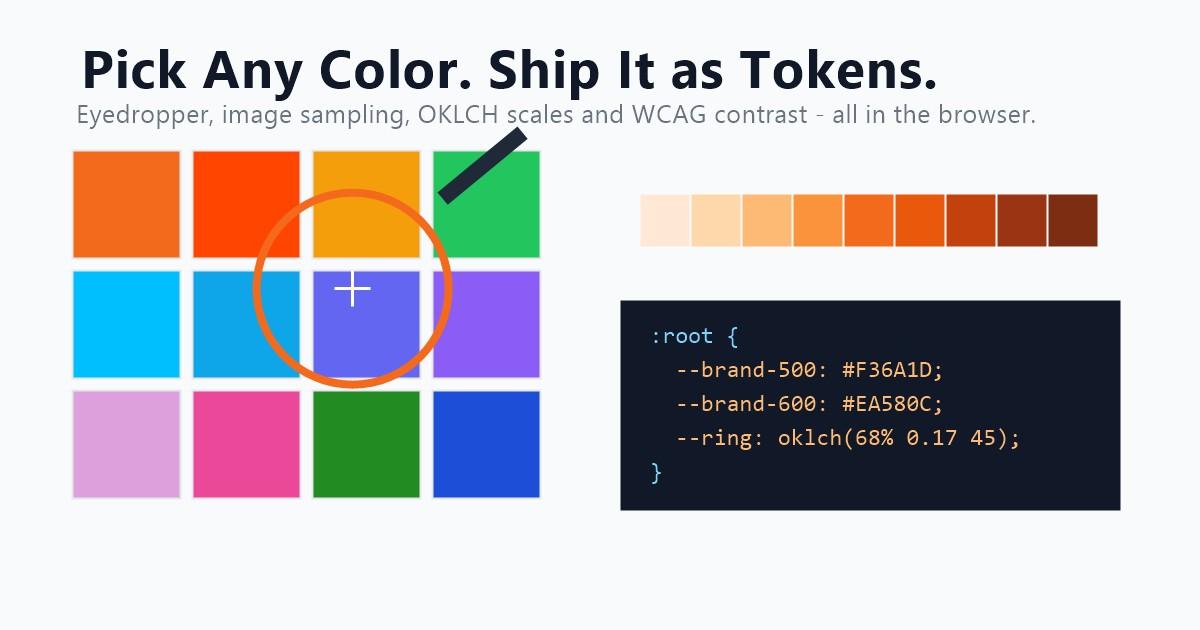
Free online color picker with screen eyedropper, image pixel sampler, HEX RGB HSL OKLCH conversion, palette generator, WCAG 2.2 contrast checker and CSS token export. Runs in your browser, nothing is uploaded.